IS YOUR MARKETING BUDGET LEAKING CASH WITHOUT FLOAT?
"Step 1: Setting Up Your Account Here’s the fast path I use with clients: Create your organization and connect your accounting platform (Xero/QBO/FreeAgen..."
TYPE
CASH FLOW MANAGEMENT
POWER
+9999
RARITY
★★★★★
DATE
FEB 2
⚡Cash Clarity for Campaign Killers: How I Use Float to Fund Growth Without Guessing
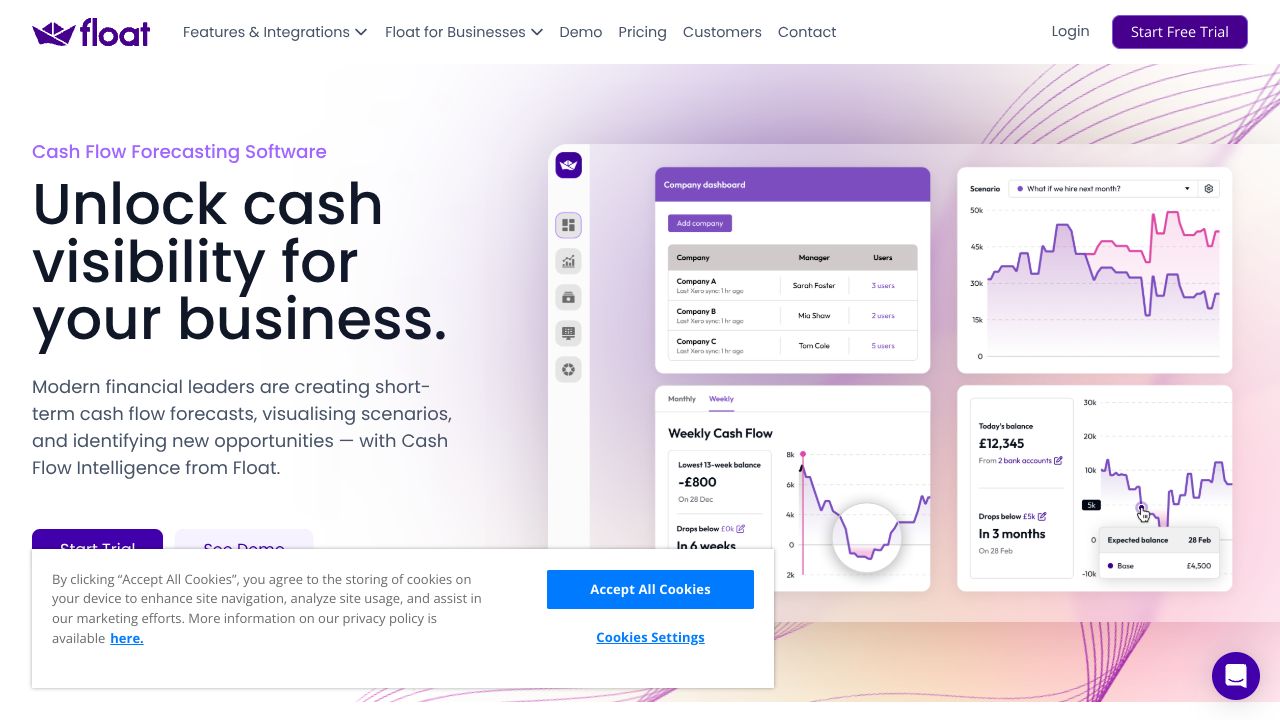
Picture this: it’s the 27th, payroll hits in four days, your paid social is scaling hard, and your CFO just Slacked, “Can we afford to keep TikTok at +30% next month?” Your gut says yes. Your spreadsheet says “maybe?” That’s not a plan; that’s a prayer. I’ve been there. Marketing lives and dies on cash timing—prepaids, retainers, rev lags. Spreadsheets crack under that pressure, and generic BI dashboards won’t save you. Float plugs into your accounting (Xero, QuickBooks Online, FreeAgent) and turns it into a living cash forecast. This is one of my Yeti-Sized Guides to making Massive Wins with real Growth Resources—not vibes.
⚡Step 1: Setting Up Your Account
Here’s the fast path I use with clients:
- →Create your organization and connect your accounting platform (Xero/QBO/FreeAgent). Select the bank accounts that fund marketing.
- →Set base currency and import at least 12 months of history for seasonality.
- →Map accounts: group marketing expenses (paid social, search, influencers, events, tools) into clear categories. Clean chart of accounts = clean forecast.
- →Set expected payment behavior:
- →Key customers: override to realistic Net30/45/60 (not the fantasy due date).
- →Vendors: mark prepaids (media buys, event deposits), retainers (agencies), and subscriptions (SaaS).
- →Choose daily or weekly granularity. I use weekly for pacing, monthly for exec summaries.
- →Create your initial marketing budget lines (by channel/vendor). Add notes with assumptions.
- →Invite finance/ops so you’re working from one source of truth.
⚡Step 2: Core Features You Need to Know
These are the levers I actually use to steer spend:
- →Live Cash Timeline
- →See cash in/out by day or week. Example: Spot that $35k Meta bill landing before your big invoice clears—shift spend or collections before it hurts.
- →Budgets by Category (and Vendor)
- →Set monthly budgets for “Paid Social,” “Search,” “Influencers,” etc. Example: Cap Paid Social at $80k, then layer a $20k test for Q2. Float shows impact on runway instantly.
- →Scenario Planning (the money maker)
- →Build “Aggro Q2,” “Steady,” and “Oh-Crap” scenarios. Example: Add a $50k event prepay + 90-day revenue lag to see if runway holds above 3 months.
- →Expected Payment Dates Overrides
- →Adjust invoices/bills to when cash actually moves. Example: Client pays Net45 (not Net30), your vendor wants 50% upfront—bake it in, don’t get blindsided.
- →Variance and Actuals Reconciliation
- →Compare forecast vs actual each week. Example: Your CPC spiked, spend overshot by $12k—rebalance next month and update assumptions.
⚡Step 3: Pro Tips for Marketing Professionals
What moves the needle in my workflow:
- →Channel-Level Cash Lines
- →Split spend by channel/vendor (Meta, Google, TikTok, agency retainers). You’ll see which knobs you can turn fastest without torching runway.
- →Layer Cash Curves
- →For launches, model: prepay (week -2), ramp (weeks 1–3), conversions (weeks 2–6), collections (weeks 6–10). Use notes so future-you remembers why.
- →CAC Payback in Cash Terms
- →Add “new customers,” “avg order value,” “refund rate,” and “collection delay” to see true payback months. Decide if you can afford to push 20% more on search now.
- →Hiring and Tooling What-Ifs
- →Add headcount (salary + taxes + tools) to Aggro scenario. If runway dips below your threshold (I use 4 months), delay hire or cut a test.
- →Pipeline as Cash
- →Export weighted opportunities from your CRM, drop into Float as expected income lines with realistic close/collection timing. Kill fantasy revenue.
⚡Common Mistakes to Avoid
- →Assuming Due Dates = Cash Dates
- →Reality: clients pay late, vendors want prepay. Override expected dates or your forecast is cosplay.
- →Letting Sync Drift
- →Reconcile weekly. If accounting isn’t clean, your forecast is fiction. I set a Friday 20-minute ritual.
- →Ignoring Seasonality
- →Use last year’s peaks/dips to shape budgets. Add manual adjustments for known promos or CPM surges.
⚡How It Compares to Alternatives
- →Spreadsheets (Google Sheets, Causal): Flexible but brittle. Great for modeling logic; terrible for staying reconciled to reality. Float wins on accuracy and speed-to-decision.
- →Dryrun: Solid scenario tool, a bit more manual; I find Float cleaner for teams already living in Xero/QBO.
- →Pulse: Simple cash tracking; fine for solo operators. Float scales better when you’ve got multiple channels, retainers, and campaign curves.
- →Spotlight/Futrli: Broader reporting/management packs. If you need board decks plus cash, they’re contenders; for day-to-day marketing cash control, Float is faster. Hot take: If you’re an SMB with aggressive growth and real media spend, Float gives you the fastest path from “Can we afford it?” to “Yes, flip the switch.” That’s the kind of Scale Stories that create Massive Wins.
⚡Conclusion: Is Float Right for You?
If your marketing world includes prepaid media, agency retainers, and delayed revenue, Float is a no-brainer. It turns hand-wavy “we’ll make it back” into hard runway math you can act on. If you’re pre-revenue without proper accounting, it’s premature—clean your books first. For enterprise FP&A theatrics, look elsewhere. For everyone in the messy, glorious middle: Float + a weekly 20-minute ritual is one of my favorite Growth Resources. My verdict? Use Float to fund growth, not guesses—and sleep better before month-end.
QUEST OBJECTIVE
FLOAT